How a Cisco Webex Update Triggered Citrix Workspace Launch Failures
A recent issue we investigated caused Citrix sessions to fail for some users shortly after a Cisco Webex update was deployed through Microsoft Intune / Patch My PC.
Users were receiving the following error:
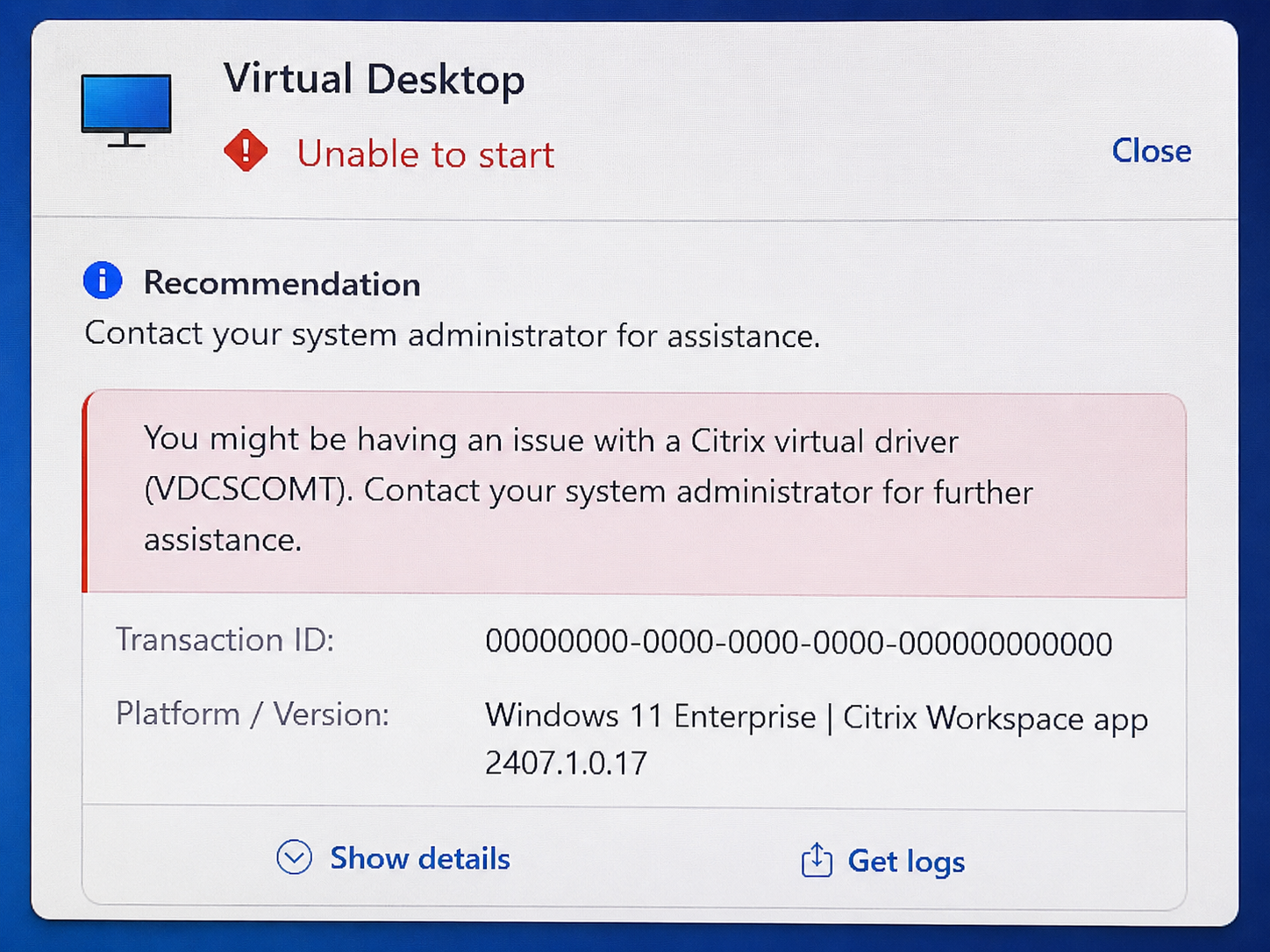
“Unable to Start — You might be having an issue with a Citrix virtual driver (VDCSCOMT)”
At first glance, this looked like a standard Citrix Workspace issue. In reality, the root cause turned out to be a stale or conflicting virtual channel entry caused by a third-party application update.
This post explains exactly what happened, how we traced it, and how we fixed it.
The Environment
The issue affected:
- Citrix Workspace app for Windows
- Enterprise-wide deployment via Microsoft Intune / Patch My PC
- Cisco Webex VDI plugin environment
- Citrix Virtual Apps and Desktops environment
The failure began immediately after a Webex-related update rollout.
The Symptoms
Users could:
- Launch Workspace
- Authenticate successfully
- Enumerate applications/desktops
But when launching a session:
- The ICA session failed immediately
- Citrix displayed: “You might be having an issue with a Citrix virtual driver (VDCSCOMT)”
But when launching a session:
- The ICA session failed immediately
- Citrix displayed: “You might be having an issue with a Citrix virtual driver (VDCSCOMT)”
The Citrix Registry Key That Matters
The investigation led to this registry location:
HKEY_LOCAL_MACHINE\SOFTWARE\WOW6432Node\Citrix\
ICA Client\Engine\Configuration\Advanced\Modules\ICA 3.0
Specifically, the value: VirtualDriverEx
Citrix documents this exact troubleshooting path in their KB article CTX263604.
VirtualDriverEx is effectively the master list of ICA virtual channels that Citrix Workspace attempts to load during session initialization.
What Is VirtualDriverEx?
Typical entries may include:
- Clipboard redirection
- Audio mapping
- USB redirection
- Smart card channels
- Third-party VDI integrations
- COM port mapping
- Cisco/Webex optimization channels
If a referenced driver:
- no longer exists,
- is corrupted,
- or becomes incompatible,
Citrix may fail the entire session launch.
The Likely Cisco Webex Connection
The environment was using Cisco Webex VDI optimization components, including:
CiscoMeetingsCitrixPlugin.dll
Cisco Webex VDI integrations use custom virtual channels inside the Citrix ICA framework. Cisco’s deployment documentation confirms that the Webex VDI plugin communicates through Citrix virtual channels between the thin client and hosted desktop.
This likely introduced one of the following:
- a stale virtual channel registration,
- an incompatible driver dependency,
- or a virtual channel conflict during initialization.
The result:
- Citrix attempted to load
VDCSCOMT - Driver initialization failed
- ICA session launch aborted entirely
The Fix
The solution was surprisingly simple:
- Open Registry Editor
- Browse to:
HKLM\SOFTWARE\WOW6432Node\Citrix\
ICA Client\Engine\Configuration\Advanced\Modules\ICA 3.0
Edit: VirtualDriverEx Key
Remove: VDCSCOMT
Dont remove anything else.
Why This Issue Is So Dangerous
This type of issue is particularly nasty because:
- It looks like a Citrix infrastructure outage
- It impacts all users simultaneously
- Backend systems remain completely healthy
- Standard Citrix troubleshooting points in the wrong direction
Without checking: VirtualDriverEx
Many teams could waste hours:
- rebuilding VDAs,
- troubleshooting StoreFront,
- checking NetScaler,
- or escalating to Citrix unnecessarily.
Final Thoughts
The Citrix infrastructure itself was healthy the entire time.
The actual failure point was:
- a stale/broken virtual channel entry,
- inside
VirtualDriverEx, - triggered after a Cisco Webex update.
References
Thank you for taking the time to read my article, the information provided fixed an issue in a real production enviroment. Your issue might be different, but I hope this helps some people experinancing the same error.